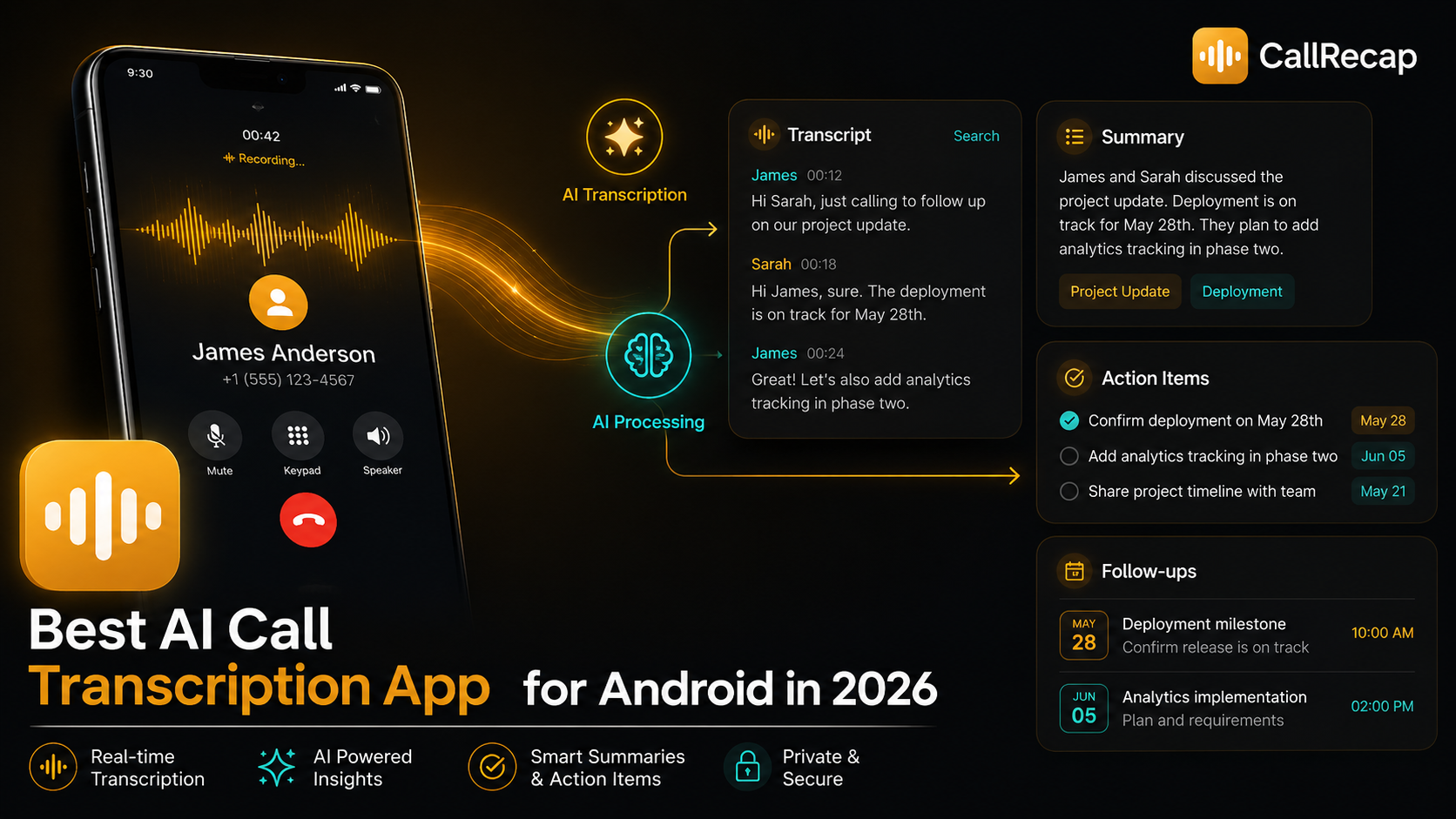
That works well if your conversations happen on Zoom, Google Meet, Microsoft Teams, or inside a meeting room. But many important conversations still happen on your phone.
- A client calls.
- A supplier confirms a deadline.
- A recruiter explains the next step.
- A lawyer gives you one detail you cannot afford to forget.
- A customer says what they need, but not in an email thread.
And when the call ends, most of that information depends on memory. That is the real problem.
AI call transcription vs. basic call recording
A basic call recorder saves audio. That is useful, but limited. You get a file. If you want to find a detail, you have to listen again. If the call lasted 17 minutes, reviewing it can take another 17 minutes. And after that, you still need to extract the tasks, deadlines, decisions, and follow-ups yourself.
An AI call transcription app goes further. It turns the call into text, then uses AI to structure what matters.
Basic call recorder
- Saves an audio file
- Requires manual review
- No automatic summary
- No task detection
- No follow-up structure
- Hard to search
- Easy to ignore later
AI call transcription app
- Converts the call into text
- Creates a clear summary
- Detects tasks and dates
- Surfaces follow-ups
- Makes the call searchable
- Helps you remember what matters
- Turns the call into next steps
The goal is not just to keep an audio file. The goal is to make sure important details do not disappear after the call ends.
What to look for in an AI call transcription app
Not every transcription app solves the same problem. Some are excellent for meetings. Some are great for uploaded files. Some work well for interviews or lectures. But real phone calls are a different use case. Here are the features that matter most.
Real phone call support
Many apps say they offer transcription, but do not automatically capture regular phone calls on Android. That matters because the whole point is to remove manual work. Check this first.
Fast transcription after the call
If the recap arrives too late, the value drops. The best experience: you hang up, the recap is ready. That is when the information is still fresh and useful.
Clear summaries, not raw transcripts
Most people do not want to read a full transcript. They want the useful version: what was discussed, what matters, what changed, what needs to happen next.
Task and date detection
"Send me the proposal by Friday." "Let's follow up next week." A good app should detect these as action items, not just words in a transcript. Actual next steps.
Follow-up structure
Who needs to do what, by when, and what is still open. Especially important for sales, consulting, real estate, and legal conversations where calls create obligations.
WhatsApp, Telegram, and VoIP
More conversations are moving to VoIP apps. If your transcription app only works with standard calls, it may miss a large part of your real communication.
CallRecap covers all six.
Try it freeComparing AI transcription apps for Android
Below is a practical comparison based on the use case that matters here: real phone call transcription on Android.
| App | Phone calls | AI summary | Action items | Free tier | WhatsApp / VoIP |
|---|---|---|---|---|---|
| CallRecapReal phone calls, first | ✓ Yes | ✓ Yes | ✓ Yes | 60 min/mo | ✓ Via Connect |
| Otter.aiMeetings and web conferencing | Import only | ✓ Yes | ✓ Yes | 300 min/mo | ✕ No |
| NottaMeetings, interviews | Upload / workflow | ✓ Yes | Limited | 120 min/mo | ✕ No |
| TranskriptorAudio/video files | Upload-based | ✓ Yes | Limited | Trial only | ✕ No |
| Google RecorderIn-person, Pixel only | ✕ No | ✕ No | ✕ No | Free (Pixel) | ✕ No |
What each app does well (and where it falls short)
This is not about saying one tool is bad. The real question is: what was each product built for?
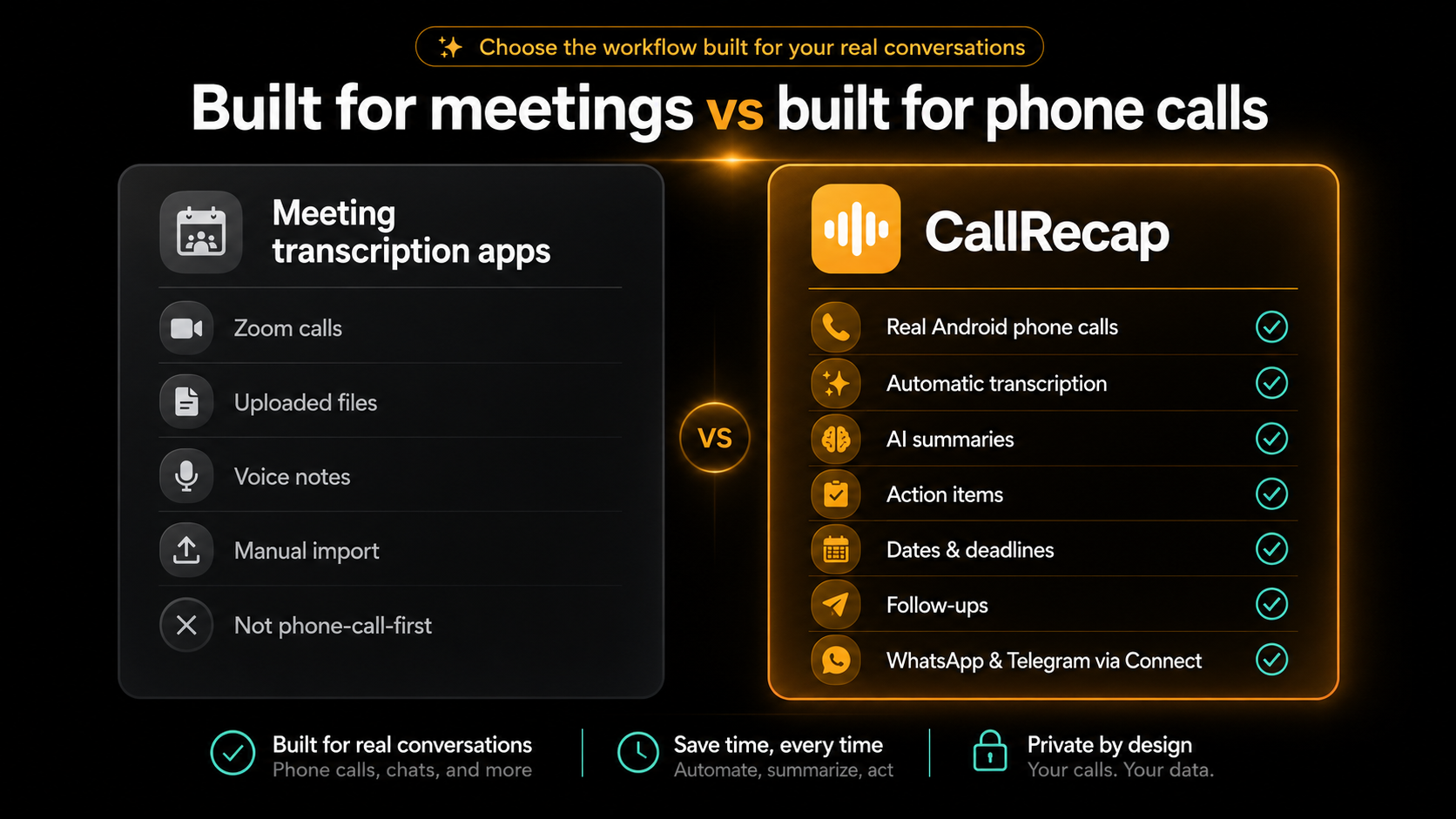
Otter.ai Built for meetings
Otter is one of the strongest tools for meeting transcription. It works well for Zoom, Google Meet, Microsoft Teams, in-person meetings, and uploaded audio. It offers summaries and action items built around meeting workflows.
Where it falls short for this specific use case is phone calls. Otter's own help documentation explains that phone call recordings need to be imported, because Apple and Google restrict third-party apps from recording phone calls directly.
So if your main need is: "I want my Android phone calls automatically captured and turned into recaps", Otter is not designed around that workflow.
It is a meeting assistant first. Excellent at what it does. Not built for phone calls.
Notta Built for recordings and meetings
Notta is strong for meetings, interviews, recordings, and audio-to-text workflows. It supports transcription, summaries, collaboration features, and multiple languages.
For phone calls, the workflow is less direct. Approaches like using speaker mode and recording separately add friction. That may be fine for occasional calls. But if you want a system that works automatically after normal phone conversations, that extra step matters.
Useful for many transcription needs. Not phone-call-first.
Transkriptor Built for audio and video files
Transkriptor is built around audio and video transcription. It is useful for turning files, meetings, interviews, and recordings into text.
But it is not primarily built as an automatic Android phone-call recap system. If you already have audio files and want transcription, it can help. If you want every important phone call to become structured next steps automatically, it is not the cleanest fit.
Good for file-based transcription. Not designed for automatic call capture.
Google Recorder Built for in-person recording
Google Recorder is excellent for in-person recording. It is useful for meetings, lectures, interviews, ideas, and voice notes. Google describes it as a recorder app for capturing and transcribing audio on Pixel devices.
But it is not a phone-call intelligence tool. It is not built around automatic phone call capture, action item detection, follow-up extraction, or turning calls into next steps.
A strong recorder. Not a call recap assistant. Pixel-only.
CallRecap Built for phone calls
CallRecap is built specifically for phone calls. Not meetings first. Not uploaded files first. Not voice notes first. Phone calls first. The goal is simple: turn every call into action.
When a call ends, CallRecap gives you a clear summary, a full transcript, tasks with dates, follow-ups, key decisions, and open questions. So instead of thinking "what did we agree on again?", you can open the recap and know what needs to happen next.
CallRecap Connect is the required free companion app that records all your calls — regular phone calls and VoIP (WhatsApp, Telegram, and more). That matters because many important conversations no longer happen through standard phone calls only.
Built for phone calls. Covers GSM calls and VoIP. Free to start.
Why transcription alone is not enough
Most people think they need transcription. But what they really need is memory with structure.
A transcript tells you what was said. That is useful. But after a real call, the bigger questions are:
- What should I do now?
- What did the other person ask for?
- Was there a deadline?
- Did I promise something?
- Is there a follow-up?
- What should not be forgotten?
This is where many transcription tools stop too early. They give you text. But text is not the same as clarity.
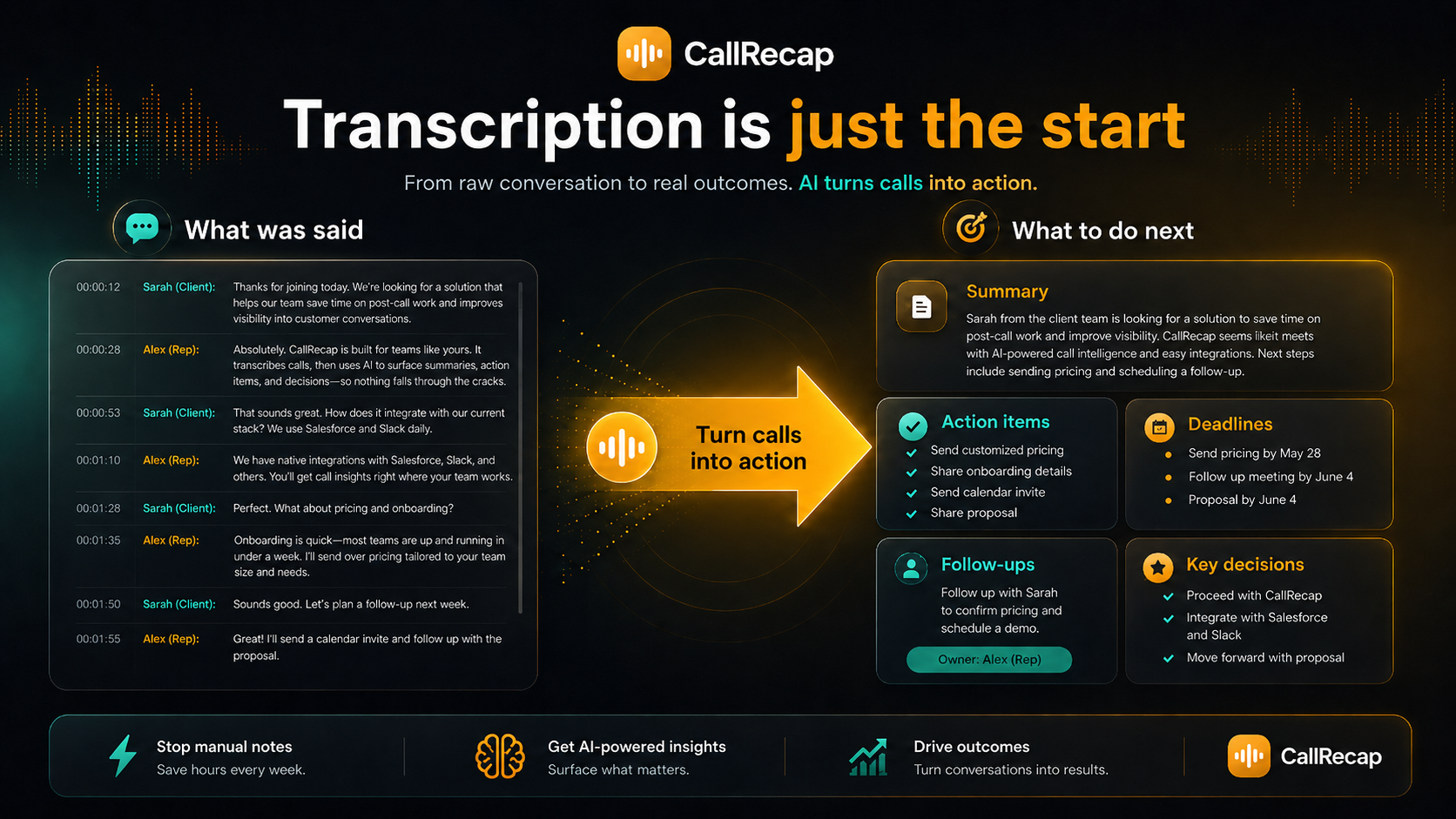
Because the value of a call is rarely the audio file. The value is what happens next.
Who should use it
An AI call transcription app is especially useful if you regularly handle calls for any of these:
- Sales
- Recruiting
- Customer support
- Consulting
- Real estate
- Legal coordination
- Project management
- Operations
- Client work
- Supplier coordination
- Healthcare admin
- Personal organization
The common pattern is simple: you talk, something important is said, and later you need to remember it. CallRecap helps close that gap.
Getting started with CallRecap
Setup takes only a few minutes.
- Download CallRecap on AndroidFree on Google Play. No credit card required.
- Grant the required permissionsCallRecap needs microphone and call access to record automatically.
- Make or receive a callCallRecap works in the background. No extra taps needed.
- Open CallRecap after hanging upYour summary, transcript, tasks, dates, and follow-ups are ready.
No manual note-taking. No searching through memory. No replaying the full call just to find one detail.
Install CallRecap Connect (required)
CallRecap Connect is the required free companion app that records all your calls reliably — regular phone calls and VoIP (WhatsApp, Telegram, and more).
No subscription. No payment. No extra account. It exists for one reason: to help CallRecap capture every conversation that matters.
Final takeaway
If you mostly need meeting transcription, tools like Otter, Notta, or Transkriptor may be enough. If you mostly need to record in-person conversations on a Pixel device, Google Recorder is a strong option.
But if your priority is real phone calls on Android, CallRecap is the most focused choice. It is built for the moment after you hang up. The moment when details usually start to disappear.
Most transcription apps help you save conversations. CallRecap helps you use them.