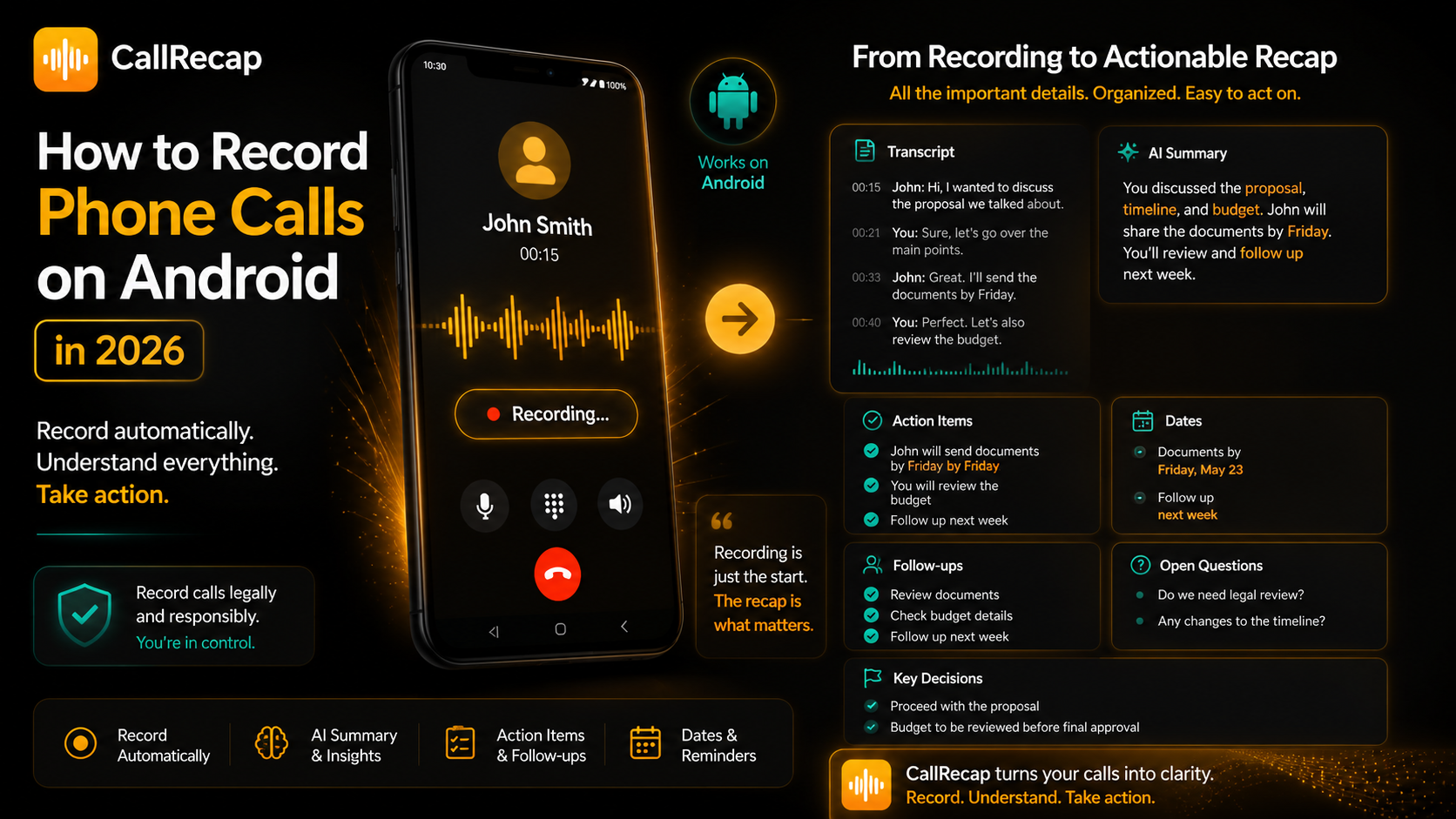
Why recording calls on Android got complicated
Before Android 10, many third-party apps could access call audio more directly. The experience was never perfect, but it worked on many devices.
Android 10 restricted several call-recording methods to protect user privacy. Later, Google Play policy changes also limited the use of certain APIs for remote call recording.
The result is simple: call recording still exists on Android, but it is no longer universal. Whether it works depends on a system of moving parts:
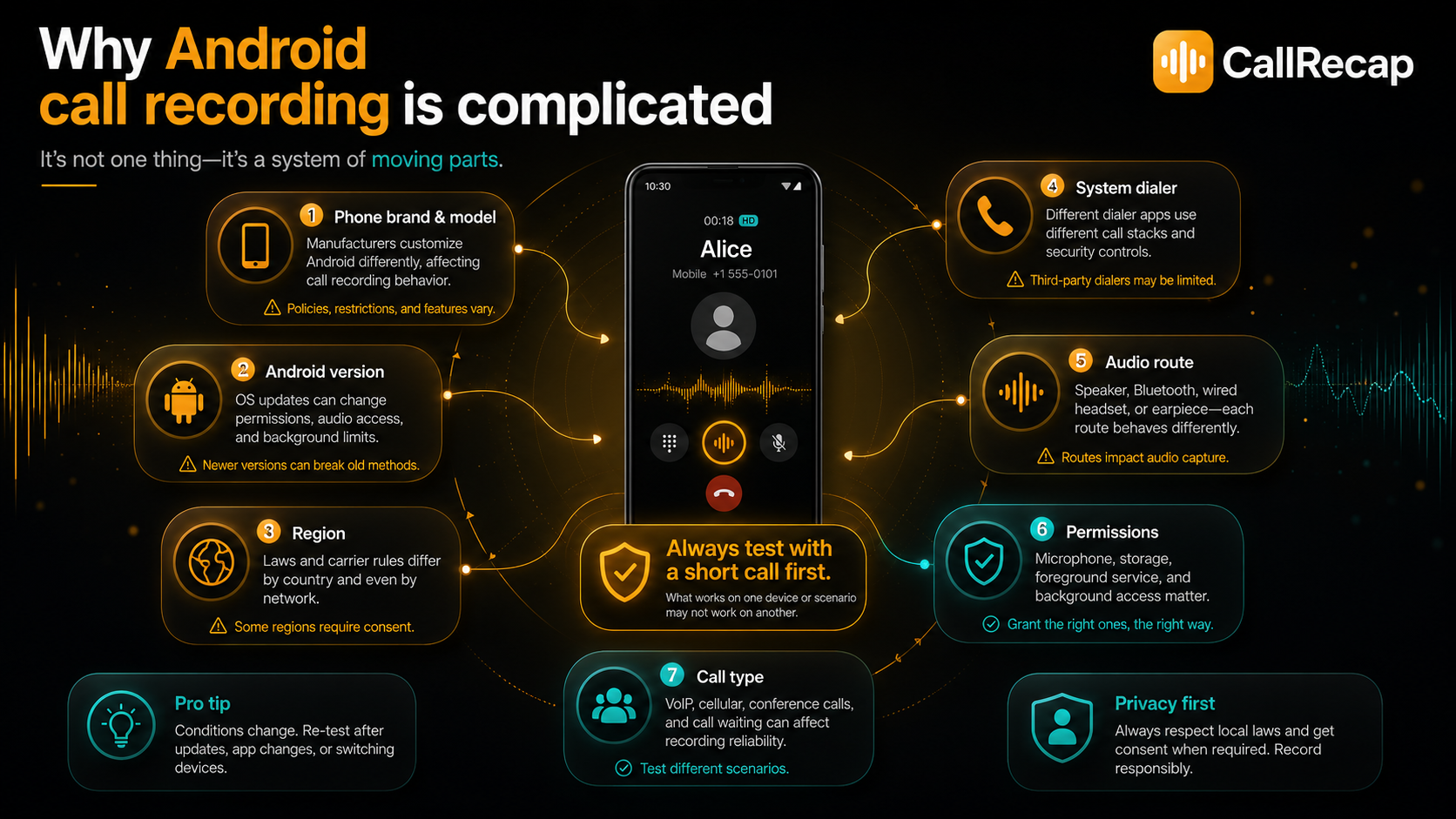
That is why one app may work perfectly on a Samsung device and fail on another Android phone. Testing with a short call first is always the right approach.
Does call recording work on your device?
Here is what to expect by brand. Results can vary by model, firmware, and region — always test with a short call first.
| Device / Brand | Expected result | Notes |
|---|---|---|
| Samsung | Often reliable | Native recording available in many regions, but not everywhere |
| Xiaomi / Redmi | Often reliable | Depends on ROM, region, and Android version |
| OPPO / Realme | Often reliable | Depends on model, firmware, and audio route |
| Huawei | Often reliable | Depends on device and region |
| Google Pixel | Region-dependent | Google Phone recording requires supported country and updated Phone app |
| Other Android devices | Varies | Always test with a short call first |
The most reliable experience is an app built specifically for the audio path that works on Android 10 and above, rather than one relying on older methods that no longer work.
Methods to record phone calls on Android in 2026
CallRecap — automatic recording plus AI recaps
RecommendedCallRecap is built for people who do not just want a recording. They want to know what happened and what to do next.
When a call starts, CallRecap records it automatically on supported Android devices. After the call ends, it creates:
- a transcript
- a clear summary
- tasks and dates
- follow-ups
- key details and open questions
The recording is not the final product. The recap is. Free tier includes 60 AI minutes per month. No credit card required.
Best for: users who want automatic call recording plus AI summaries, tasks, and follow-ups.
Samsung native call recording
Samsung onlySamsung's built-in Phone app includes a call recording feature in many countries. It is accessible directly from the call screen during an active call. Both voices are captured. No third-party app needed.
The limitation: it only works on Samsung devices, availability varies by region, and the recording is a plain audio file with no transcription or analysis.
Best for: Samsung users who occasionally need a recording and do not need AI analysis.
Google Phone app (Pixel)
Pixel + select carriersGoogle's Phone app has a built-in recording feature on Pixel devices in countries where it is permitted. It announces the recording to the other party automatically. Simple to use, captures both voices.
Again: audio file only. No summary, no task detection, no follow-ups.
Best for: Pixel users who need a basic recording with no AI processing.
Third-party call recorder apps
InconsistentThe Play Store has many call recorder apps. Quality varies significantly. Many broke after Android 10 and capture only one voice or silence on the far end. Some require rooting your device for full functionality.
If you go this route, check recent reviews specifically on your device model before installing. An app with 4.5 stars overall may have dozens of recent reviews saying it only records one side on your specific Android version.
Best for: users on older Android versions where the older audio method still works. Requires careful research per device.
Want recording plus automatic summaries and tasks?
Try CallRecap freeHow to record WhatsApp and Telegram calls
WhatsApp, Telegram, and other VoIP apps do not use the same audio path as regular carrier calls. That is why many traditional call recorders fail with VoIP calls. They may capture silence, only one side, or nothing at all.
CallRecap Connect — required companion
RequiredCallRecap Connect is the free companion app required to record all your calls reliably — regular phone calls and VoIP (WhatsApp, Telegram, and more) — with optimal audio quality. Install it alongside CallRecap and every supported call is captured automatically with the same AI output:
- transcript
- summary
- tasks and dates
- follow-ups
No extra account. No subscription. No payment. Available at callrecap.app/connector.
Required for: every CallRecap user. Without Connect, calls cannot be captured reliably.
How to set up CallRecap in 5 minutes
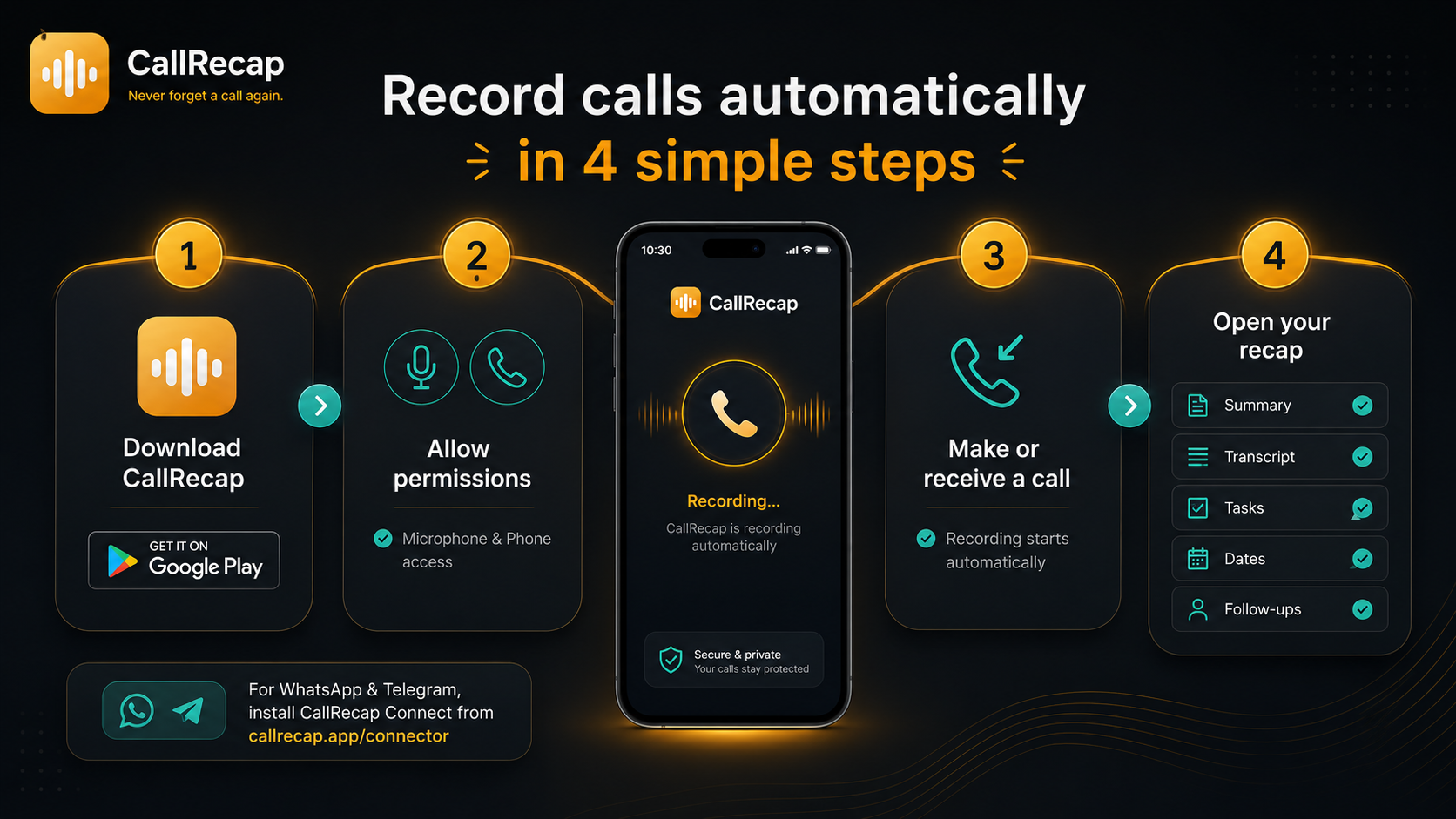
- Download CallRecap from Google PlayFree. No credit card. Search "CallRecap" or use the direct link at callrecap.app.
- Grant microphone and call permissionsCallRecap needs these to detect and record calls automatically. You will be prompted on first launch.
- Make or receive a callCallRecap starts recording automatically. You do not need to open the app or tap anything.
- Hang up and open CallRecapWithin seconds, your recap is ready: summary, transcript, tasks, dates, follow-ups.
- Install CallRecap Connect (required)Connect is the free companion app needed to record all your calls reliably — regular phone calls and VoIP (WhatsApp, Telegram, etc.). Download from callrecap.app/connector.
Beyond the recording — why the recap matters more
Recording a call is the beginning, not the goal.
A 20-minute call produces 20 minutes of audio. To find the detail you need, you either remember where it was or you re-listen to the whole thing. That is the problem most call recorders leave unsolved.
What CallRecap produces from every call
- ✓Summary — what was discussed, in plain language. Ready in seconds.
- ✓Tasks with dates — "send the proposal by Friday" becomes a task, not a memory.
- ✓Follow-ups — who said they would do what, structured and visible.
- ✓Key decisions — what changed, what was agreed, what is still open.
- ✓Full transcript — searchable text if you need to verify a specific detail.
- ✓Open questions — what was raised but not resolved, so nothing falls through.
The recording becomes a fallback rather than the primary output. You rarely need to listen to it again because the recap already contains what matters.
A note on call recording laws
Important: Recording laws vary significantly by country, state, and region. In some jurisdictions, only one party to the call needs to consent to recording. In others, all parties must agree before the call begins. Laws in some regions carry significant penalties for non-compliance.
Before recording any call, check the laws that apply in your jurisdiction and in the jurisdiction of the person you are calling. CallRecap is a tool — the responsibility for legal use rests with you. When in doubt, inform the other party at the start of the call.